Data Collection Apps
For manufacturing operations that generate large volumes of data, it is usually required to integrate data collection with manufacturing data collection applications. Often these platforms sit "on the edge", next to machinery, though this is not necessary and the details can vary considerably. Logically, however, a data collection app has two requirements to integrate with the MPPW:
- Network access to the MPPW APIs
- Scoped credentials to write data to a particular operation or operation(s)
Once network access is available, the warehouse can be configured to generate and send data collection "tokens" containing both credentials and operation information to particular manufacturing systems. These tokens can be copied-and-pasted out-of-band for any kind of data collection system, but it is also possible to streamline the token transfer by registering a data collection app HTTP(S) endpoint for particular systems in particular projects.
Currently data collection access tokens have the same permissions as the generating user - in the future this will be further scoped to just operation access.
Configuring Project Data Collection Apps
Data collection apps with HTTP(S) callbacks can be registered in the Project configuration page by administrative users - different apps can be registered for different system names.
In future work, systems will be entities with true identities, not just names.
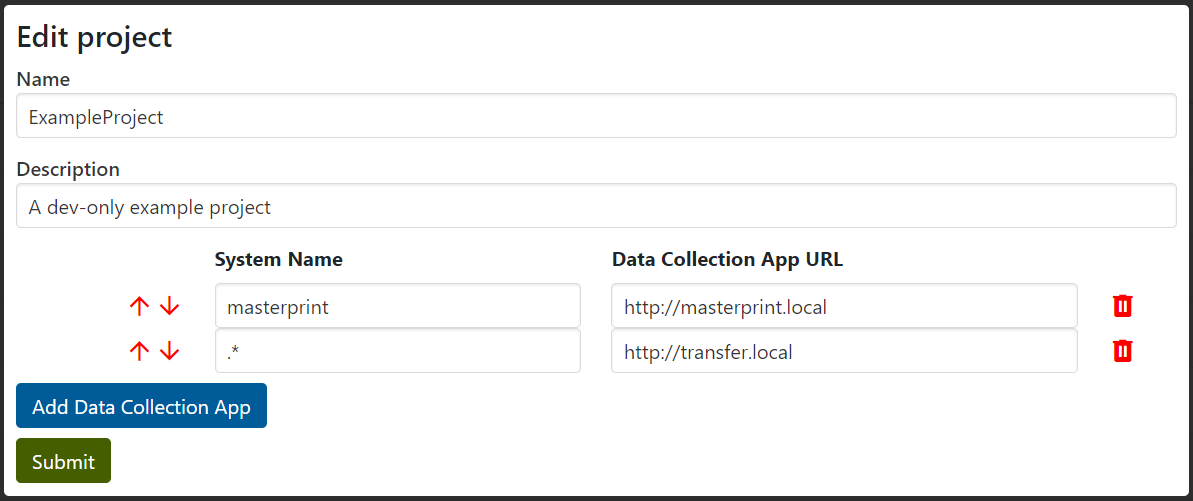
As seen above, the URL attached to the first pattern matching a system name will be used as the data collection app URL for those systems when specified in operations (as seen below).
The process is similar to registering delegated OAuth applications, and has a similar result - the access token of the user is sent to the data collection app on their behalf. Security requirements are also similar - HTTPS protocol must be used to protect token security except for the cases of localhost and .local addresses.
Instrumentation Attachment
With the release of version 1.0.0, you can attach instruments similar to other artifact types to facilitate the setup of your instrumentation collection instance for the data collection.
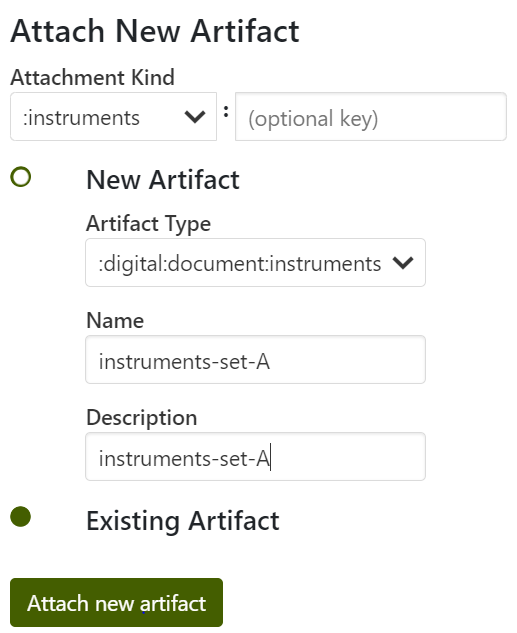
The following details show how to attach a collection of instruments to a specific operation, along with the ability to specify additional information for each instrument type required for data collection.
For example, suppose you plan to set up a thermal camera to capture image data during the operation. In that case, as demonstrated in this example, you can use the "+" button to attach a specific instrument type, such as a FLIR camera. You can provide relevant contextual and other specific information in the given fields.
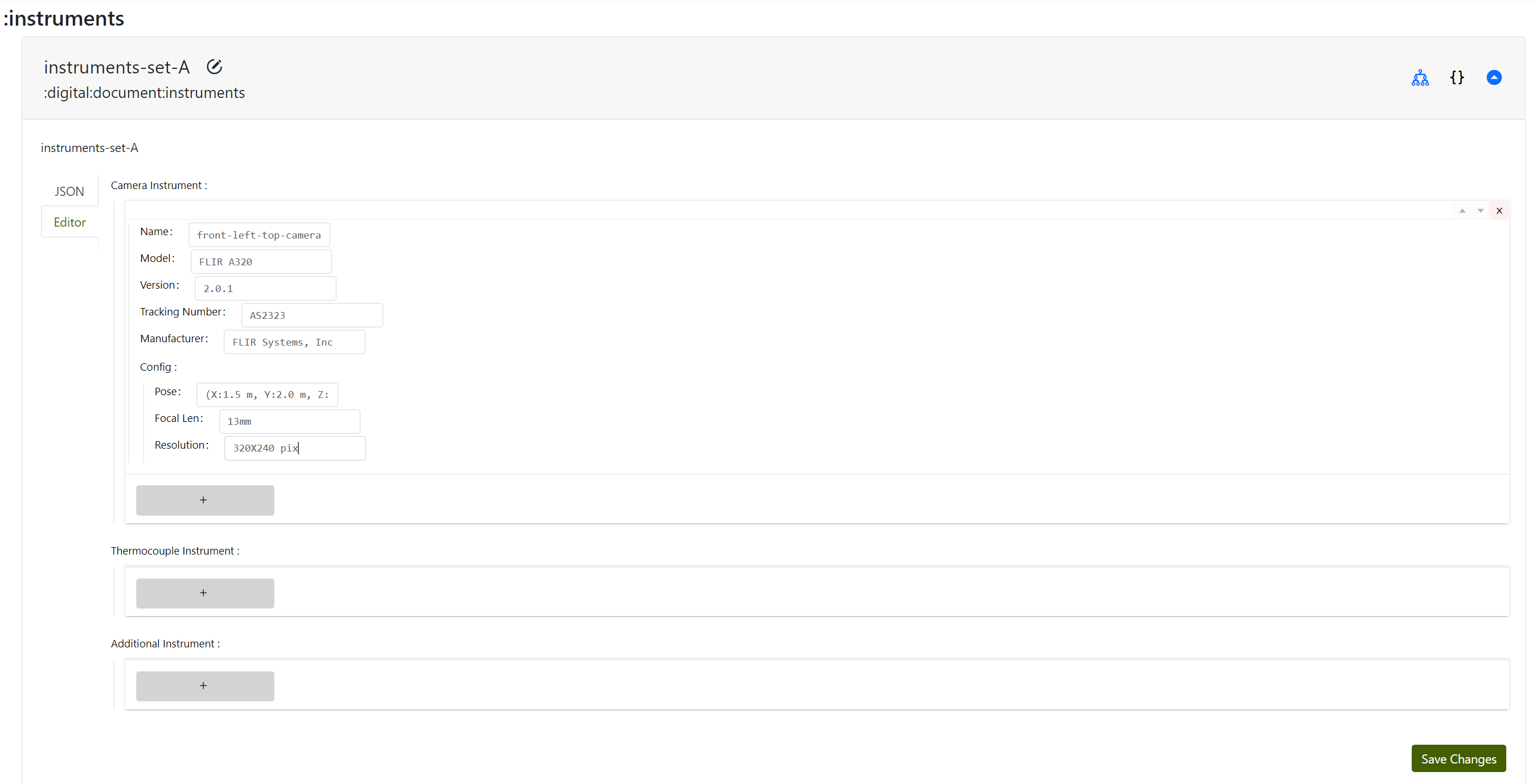
NOTE that you can edit the schema via schema -> select the project and choose the schema named digital_document_instruments as discussed in the Modify Schema section in this guide.
Starting Data Collection
Once data collection apps are configured by an administrator, a standard project user of the data warehouse can start data collection from any operation. First, the system name of the operation must be filled, and then a manufacturing icon appears next to the system name:
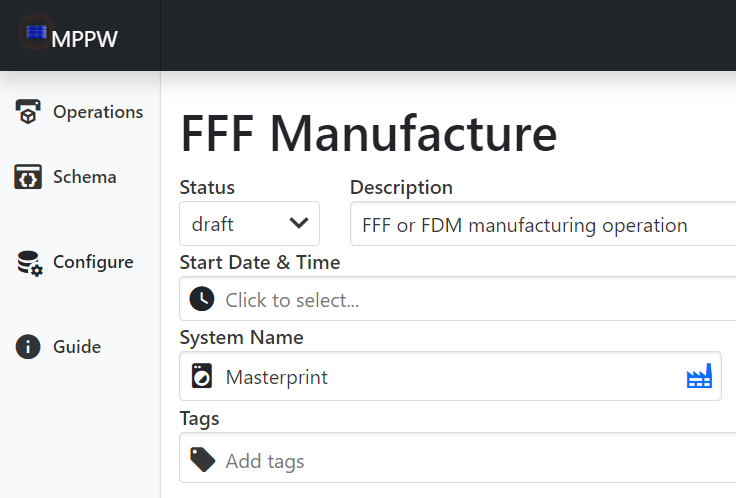
After clicking the icon a dialog box appears and allows a user to either redirect to the data collection app, start data collection in the data collection app (redirect to the app with a token), or simply copy a token to the clipboard for out-of-band transfer to a non-web-enabled system. If no data collection endpoint pattern matches the system name only token copy is available as an option.
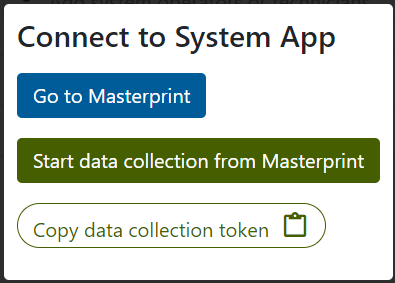
The data collection app redirect logic is completely web-based and relies on the user's browser - it will fail if the browser and/or user computer is unable to access both the warehouse and the data collection app. In these cases a data collection token can be used.
Data Collection Token Format
The data collection token itself is a JSON string containing a number of fields, as an example:
{
  "url": "https://warehouse.composites.maine.edu/api",
  "oauth2_token":"<token>",
  "createdAt":"2024-03-06T15:58:30.400Z",
  "projectId":"01234567890abcde01234567",
  "operationId":"1234567890abcde012345670"
}
The oauth2_token can be attached to warehouse requests as a standard Bearer token in the Authorization header and/or can be converted to cookie access via security/token-to-cookie.
Example Data Collection Dataflow
To illustrate how data collection apps are meant to be used, an example data flow from manufacturing device to data warehouse is shown below:
There are two token flows representing cases where it is acceptable to have a manufacturing cell OT device (perhaps a workstation with a browser) manage the token flow versus a case where an external IT user device (perhaps a strictly managed laptop) must perform the transfer and only the uplink system is allowed outgoing network access. Other architectures are possible, though generally outgoing network access to the data warehouse APIs is necessary from the manufacturing cell.
Buffering, Batching, and Pooled Writers
A data collection app which sends data over an unreliable network connection needs to consider buffering - the data warehouse cannot provide this service. If a network connection is interrupted, a robust data collection app should continue to locally buffer data until the warehouse is available again and then resume upload from the last sucecessful record. In addition, in most manufacturing data collection architectures it is unreasonable for the data collection to pause if there are delays warehousing the data - buffering is necessary to decouple the warehouse performance from data collection performance.
Buffering also comes with a number of secondary advantages - buffered data can be easily batched, resulting in far more efficient :time-series and :point-cloud inserts when the API is used. Buffering and batching stabilizes network transfer, resulting in much more predictable warehouse performance. In concert with batching, a pool of API writers can be used to upload data in parallel - this is the primary way to increase write performance to the warehouse.
If significant write traffic is anticipated, multiple instances of the MPPW app can be deployed and/or the backing database can be sharded (by project). Distributed deployments have not been significantly tested to date.